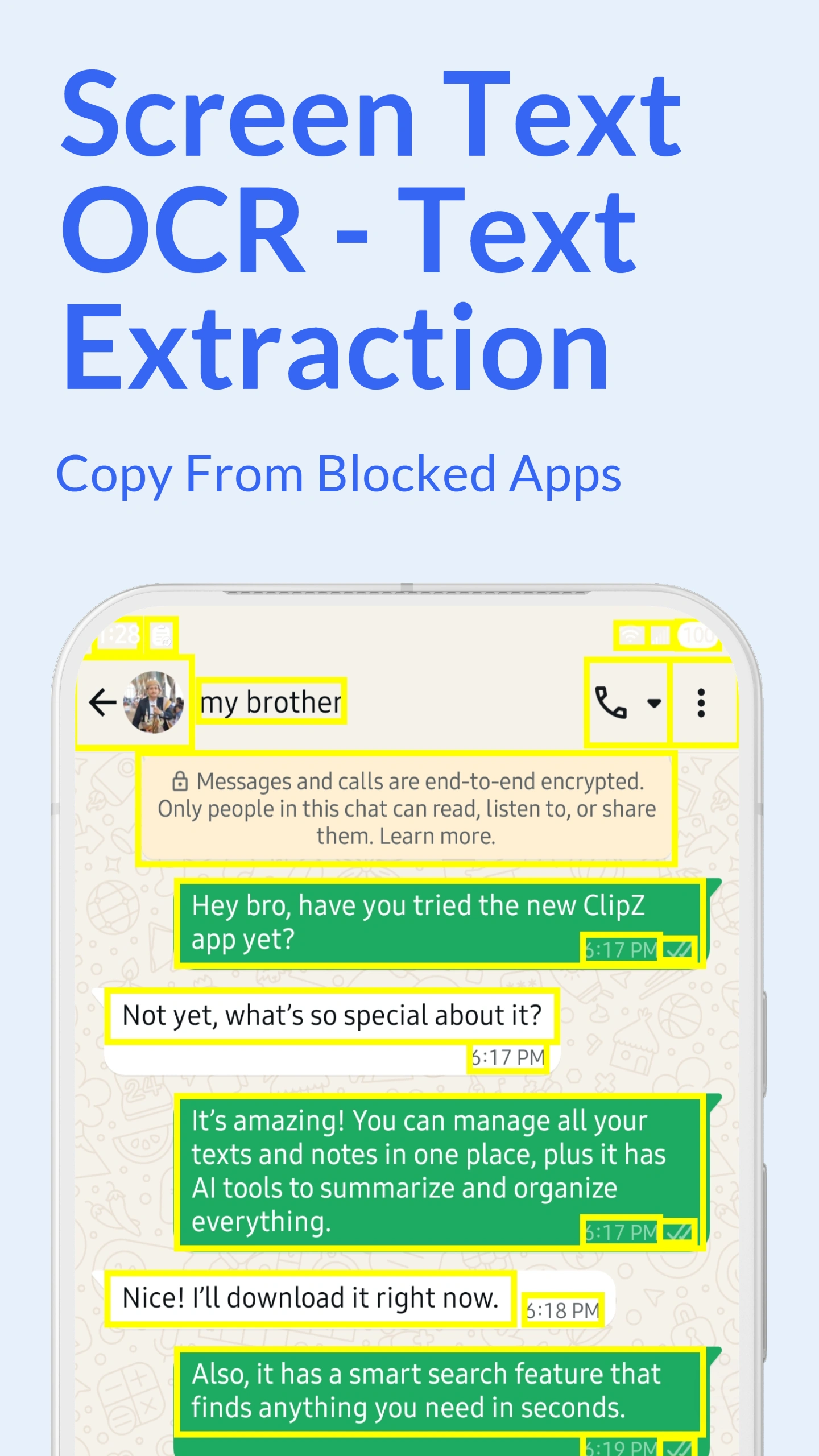
ClipZ screen scanner uses advanced OCR (Optical Character Recognition) technology to extract text from any screen content, images, or screenshots. Simply activate the scanner, select the area containing text, and ClipZ instantly recognizes and copies it to your clipboard.
The OCR engine achieves accuracy that varies with text clarity and capture conditions for clear text and supports various fonts, sizes, and styles. Extract text from photos, PDF screenshots, messaging apps, social media, websites, or any app that displays text. Once extracted, use AI tools to translate, improve, or process the text.
Works completely offline after downloading language packs. Your screen content never leaves your device, ensuring maximum privacy and security. Perfect for extracting text from non-selectable content.
Advanced Scrolling Scan Mode
The revolutionary scrolling scan mode extracts text continuously as you scroll through long pages, conversations, or documents. Perfect for chat histories, articles, social media feeds, and lengthy content that doesn't fit on one screen.
How it works: Start the scrolling scanner, scroll through the content normally, and ClipZ automatically detects and extracts text from each screen. The app intelligently separates messages by sender and time, removes duplicates, and organizes everything into a single readable format.
Use cases include exporting WhatsApp conversations, saving Twitter threads, archiving Instagram comments, extracting long articles from apps without copy-paste, and documenting chat histories. Combine with clipboard manager to organize extracted content.
100+ Language Support
Screen scanner recognizes text in 100+ languages including:
And 80+ more languages with downloadable language packs
Automatic language detection identifies the text language automatically. Download specific language packs for offline use with maximum accuracy. Mixed-language documents are supported - extract content with multiple languages in single scan.
ClipZ OCR vs Other Apps
Feature
ClipZ Scanner
Other OCR Apps
Scrolling Scan
✅ Advanced mode
ℹ️ Varies by app
Languages
✅ 100+ languages
ℹ️ Varies by app
Offline Mode
✅ Full offline
ℹ️ Varies by app
Accuracy
ℹ️ Varies by text and capture conditions
ℹ️ Varies by app and capture conditions
Clipboard Integration
✅ Automatic save
ℹ️ Varies by app
Privacy
✅ On-device only
ℹ️ Varies by app
Comparison note: Unique scrolling scan, more languages, better offline support, and seamless clipboard integration. Other OCR apps vary in supported features, offline processing and language coverage.
Screen Scanner Features
Instant OCR: Tap to scan any screen area with text
Scrolling Extraction: Continuously extract while scrolling
Smart Cleanup: Removes duplicates and formatting errors
Text Organization: Separates by speaker/sender automatically
Offline Processing: Complete privacy, no internet required
High Accuracy: recognition quality that varies with text clarity and capture conditions for clear text
Quick Actions: Translate, share, or edit extracted text instantly
Start Scanning Screens
Download ClipZ and activate screen scanner with a tap from floating bubble or quick access menu. Download language packs for your preferred languages, then start extracting text from any screen with OCR precision.
Frequently Asked Questions
What is ClipZ screen scanner?
The screen scanner uses OCR (Optical Character Recognition) to extract text from your screen, images, or screenshots. It can read text from any app, photo, or screen content with high accuracy in 100+ languages. Perfect for capturing non-selectable text or saving content from apps without copy-paste support.
Can it scan text while scrolling?
Yes! ClipZ offers advanced scrolling scan mode that extracts text continuously as you scroll through long pages, conversations, or documents. The feature is perfect for exporting chat histories, saving long articles, archiving social media threads, and documenting conversations. It automatically organizes content by sender and removes duplicates.
Does screen scanner work offline?
Yes, the screen scanner works completely offline after downloading language packs for your preferred languages. Your screen content never leaves your device, ensuring maximum privacy and security. No internet connection required for OCR processing.
How accurate is the text recognition?
ClipZ achieves accuracy that varies with text clarity and capture conditions for clear, well-formatted text. Accuracy depends on text clarity, font size, and lighting. The scanner works best with clean text on contrasting backgrounds. Handwritten text and heavily stylized fonts may have lower accuracy but are still recognized in most cases.
Can I extract text from images and PDFs?
Yes, the screen scanner works on any visual content displayed on your screen including images, PDF screenshots, photos, and app content. Simply open the image or PDF, activate the scanner, and select the text area. The OCR engine extracts all visible text regardless of source format.
When long-press copy does nothing, OCR gives visible text another path into your clipboard.
ClipZ screen scanning is for text you can see but cannot conveniently select: screenshots, images, certain app interfaces, receipts, slides or other visible content. OCR converts that visual text into editable text that can then be copied or reused.
The key difference from a standalone OCR utility is what happens next: the extracted result can flow into clipboard history, translation, summarization, rewriting, sharing or saved snippets.
The strongest competitor intent here is “copy text that the app will not let me copy”
Large screen-copy apps such as Universal Copy lead with exactly that problem: select text from otherwise uncopyable interfaces, and use OCR when the text is inside an image. Newer apps also distinguish accessibility-based extraction from OCR-based recognition.
ClipZ should therefore answer the same user problem directly rather than hiding OCR behind a generic “scanner” label.
OCR quality depends on the source, not only the app
Small fonts, compression, motion blur, decorative backgrounds, low contrast, handwriting and mixed scripts can reduce recognition accuracy. High-resolution screenshots with clear text usually produce better results than a photo taken at an angle.
For long pages, scrolling capture can be useful when supported, but users should still review important extracted text before relying on it.
Why clipboard + OCR + AI is a useful chain
A common workflow is to capture text from a screenshot, extract it, translate a foreign paragraph, summarize the useful part, then save the final text for reuse. Connecting those steps reduces the copy-and-paste loops required by separate OCR and AI apps.
Questions Android users commonly ask
How do I copy text from an app that blocks text selection?
A screen-text tool can use accessible UI text or OCR, depending on the screen and permissions. ClipZ includes screen OCR for visible content.
Can ClipZ extract text from screenshots?
Yes. OCR can convert visible text in screenshots or images into editable text, with accuracy depending on image quality and layout.
Is OCR always accurate?
No. Review important output, especially numbers, names, code and text shown in low-quality images.